
Sticker.ly - Sticker Maker
Naver Z CorporationCommunication
4.45.68K Reviews
- Version
- 3.36.1
- Installs
- 100.00M
- Age Rating
- Teen
Screenshots
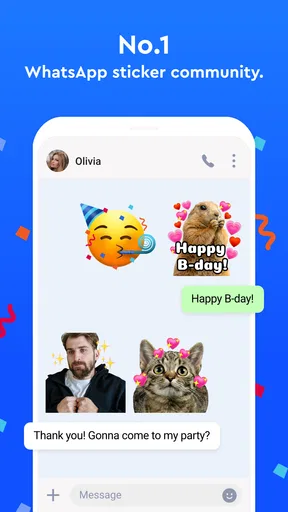
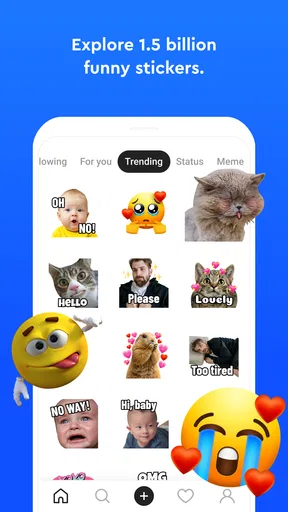
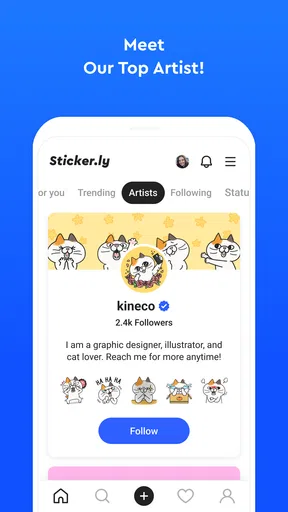
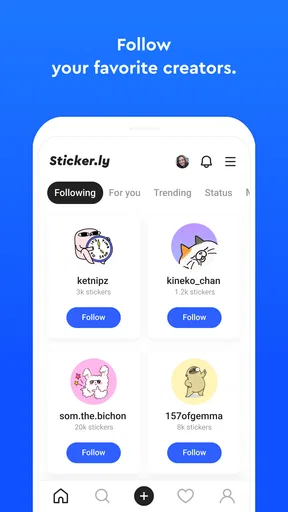
Our Review of Sticker.ly - Sticker Maker
 Analysis by Appyee
I like sticker apps most when they solve a small, familiar problem: the perfect reaction exists in my head, but not in the chat’s sticker tray. Sticker.ly - Sticker Maker is built around closing that gap, whether I’m making something from a photo or searching for a pack someone else has shared. It is a free communication app from Naver Z Corporation, and its focus is practical rather than complicated: create, discover, and move stickers into everyday messaging.
Start with a simple sticker-making routine
The easiest way to understand the app is to begin with one image you already know you want to use. Choose a clear photo, try the cut-out process, and check the result before turning it into something you plan to send. A face or pet against a reasonably uncluttered background is a better first test than a busy group shot; small details and overlapping outlines can be harder to separate cleanly. That little choice up front saves time spent fixing an awkward edge later.
Once the subject is isolated, think about where the sticker will appear. A design that looks good full-screen may become tiny in a busy conversation, so I’d favor a recognizable expression or silhouette over fine detail. Making a few variations from the same photo can also be more useful than creating one elaborate design: a cheerful version, a confused look, and a quick reaction cover more real chats without making every message feel overproduced.
Create Your Own Stickers
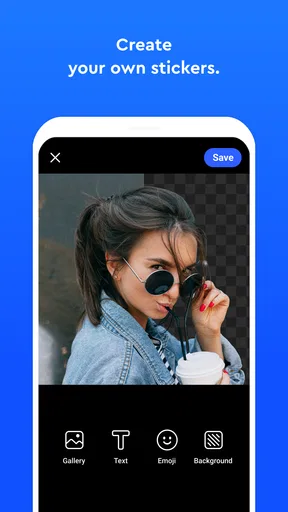
Have you ever dreamed of turning your favorite photos into stickers? Sticker.ly makes it super easy. You can create personalized stickers using your own images. Simply upload a photo, use the smart cut-out tool to remove the background, and voilà! You’ve got yourself a custom sticker. I had a blast turning my pet photos into stickers—it’s a great way to bring a little slice of home into every conversation.
Endless Sticker Packs
If DIY isn’t your thing, don’t worry. Sticker.ly offers a vast library of sticker packs to choose from. Whether you’re into cute animals, funny memes, or slick animations, there’s something for everyone. I spent hours browsing through the packs and found myself downloading more than I’d like to admit. The variety is simply incredible.
Browsing is enjoyable, but a large collection can become less useful if I save every pack that catches my eye. I get better results by treating discovery like a short search for a purpose: a set of reactions for a family chat, a few expressive replies for friends, or a theme that fits a group’s running joke. Before adding a pack, I look at whether its images are distinct from what I already use. A smaller selection that I can recognize quickly is often more helpful than a crowded tray full of near-duplicates.
Community Creations
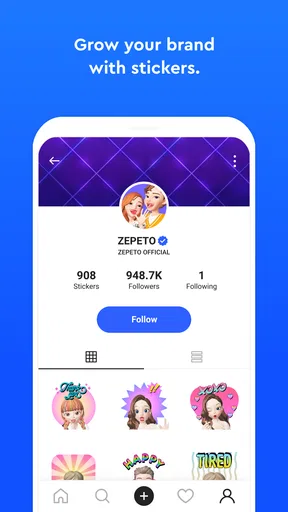
One of the coolest features is the community aspect. Users can upload their creations, which means you can discover unique stickers made by others. It feels like a treasure hunt, finding that perfect sticker someone else has crafted. Plus, it’s a fantastic way to share your own masterpieces with the world.
That shared library is especially useful when a conversation has its own language. A niche reference, a particular style of humor, or a reaction that is difficult to describe can be easier to find among community-made work than to recreate from scratch. I’d still pause before using a sticker publicly: a clever image can read differently outside the group that understands it. For personal chats, that context is part of the fun; for work or mixed-age groups, familiar and unambiguous reactions are the safer choice.
Easy Integration with Messaging Apps
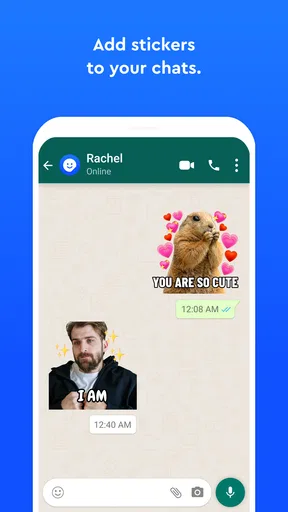
Integration is seamless. Whether you’re using WhatsApp, Telegram, or another messaging app, Sticker.ly makes it easy to add and use your stickers. With just a few taps, your favorite stickers are ready to use in your chats. Honestly, I couldn’t believe how effortless the whole process was. It's like the stickers just magically appeared in my chat app.
The important practical question is where you actually send messages. Since the app’s summary points to WhatsApp and Telegram, I would start by checking the add-to-chat flow for the messenger I use most, rather than building a huge library first. Sticker handling can feel different across messaging apps, so it is worth testing one small pack and sending a sticker to a willing friend before spending time organizing lots of favorites. If your main conversation app does not fit the supported workflow, a sticker tool built into that messenger may be less fussy.
Settings and habits that save time
I would check the app’s current options and prompts before making sticker creation a regular habit. App interfaces can change, and the useful settings are the ones that match how you actually browse, create, and share—not options you switch on just because they are there. On a first session, I’d pay attention to how a pack is added and how the finished sticker reaches the chat app. Learning those two steps early makes later use feel much more direct.
A repeatable routine helps more than hunting for a hidden shortcut. I keep a small mental shortlist of images worth turning into stickers, create them when I have a moment, and then test them in a real conversation. If an image is hard to read at chat size, I don’t keep polishing it indefinitely; I choose a clearer source photo. That is a useful trade-off for anyone making stickers casually rather than treating each one as a design project.
Animated stickers and the right moment
If static images aren’t enough, how about some animated stickers? Sticker.ly supports this too, allowing you to add a bit of movement to your messages. The animations are smooth and can really make your chats pop. I was particularly fond of the dancing cat stickers—it's impossible not to smile when you see them.
Motion is best used as seasoning, not as the default for every reply. A quick animated reaction can carry excitement or playful emphasis, but a static sticker is usually easier to scan when a chat is moving quickly. In a group conversation, several moving images arriving at once can distract from the actual discussion. I’d keep a few animations for moments where the extra energy adds meaning, and use still images for everyday acknowledgments.
Where it fits among other sticker options
Compared with the sticker collections built directly into a messaging app, Sticker.ly is more appealing when I want to browse beyond that app’s usual choices or make a design from my own photo. The built-in option may win when I want the fewest steps and do not care about custom images. Compared with making an image manually in a general photo editor, this app keeps the task centered on stickers and sharing them in chats, though someone who needs precise graphic control may prefer a dedicated design tool.
That distinction helps set expectations. This is a communication companion, not a full image-editing workspace. I would choose it for expressive replies, personal photos, and community discoveries, but not for polished brand graphics or projects that depend on exact typography and detailed layout control. The right choice depends less on which app has the biggest collection and more on whether I want convenience, originality, or fine-grained editing.
Regular Updates and New Content
The developers are always adding new content, so you’ll never run out of fresh stickers. It feels like there’s always something new to discover every time you open the app. The updates keep the app feeling fresh and exciting, and I appreciate the continuous improvements and additions.
Sticker.ly has been available since April 2019, and it has grown into a widely used option, with more than 100 million installs and an average rating of 4.5 from around 2.3 million ratings. Those figures suggest that sticker-making and sharing have broad appeal, but they do not mean every pack will suit my taste. I get the most from the app when I use discovery selectively instead of expecting every new find to become part of my regular rotation.
A friendly interface, with a few real limits
The interface is straightforward and intuitive. Even if you’re not tech-savvy, you’ll have no trouble navigating the app. Everything is laid out in a way that makes sticker creation and browsing a breeze. I was up and running in no time, which is always a plus in my book.
There is still a difference between being easy to start and being perfect for every user. Browsing can eat up time, and a crowded collection can make the sticker you want slower to find. Cut-outs also depend on the source image, so a complicated background may produce a less tidy result than a clear portrait. If you mainly want one or two dependable reactions and never plan to customize anything, the sticker picker already inside your messaging app may be enough.
The app is free to install, with in-app purchases listed from $3.49 to $34.99 per item. I would decide whether I need any paid extras only after trying the basic workflow; the core question is whether creating and moving stickers into my chats fits my routine. It is rated Teen, so I would also keep the intended audience in mind when sharing community content, particularly in family or school conversations.
Who will enjoy it, and who can skip it
I’d recommend it to people who communicate in expressive group chats, enjoy turning personal photos into reactions, or like browsing for visual jokes that are more specific than the standard emoji set. It is particularly handy for someone who repeatedly sends the same kind of reaction and wants a small, personal collection that feels like their own. A casual user can keep the process light: make a sticker when a good photo comes along, then use it when the moment fits.
I would skip it if I rarely use stickers, prefer a clean text-only conversation, or need exact control over every graphic detail. It may also be the wrong fit if I do not want to browse community content or would rather keep all messaging extras inside one chat app. Those are not flaws so much as signs that a built-in sticker picker or a more precise editing app better matches the job.
A realistic day-to-day test
Imagine a friend sends a photo of their dog doing something ridiculous in your group chat. Instead of replying with a generic reaction, you can save the image for a sticker idea, make a cut-out when convenient, and use the result the next time the group jokes about that moment. The useful part is not simply having another picture to send; it is turning a shared reference into a quick response that friends recognize immediately. I’d test the finished sticker in that actual chat, because that reveals whether the outline and expression remain clear at normal message size.
For a more organized habit, I’d separate discovery from conversation time. Browse when I have a few spare minutes, add only packs I can imagine using, and avoid interrupting an active chat to search endlessly. That small boundary makes the app feel like a tool rather than a distraction. It also helps answer a common practical concern: no, you do not need to become a prolific creator to get value from it; a handful of well-chosen stickers can be enough.
What to expect before settling in
The current version is 3.28.0, and the listed minimum operating system is 7.0. If I’m deciding whether an older device can run it, checking that requirement before installing is a sensible first step. The app’s scale and long presence do not remove the need to make sure it suits my own phone and messaging habits, but its focus is easy to understand once I try a single pack from creation through to sending.
For anyone wondering whether making stickers is complicated, I’d say the basic path is approachable: start with a suitable image, inspect the cut-out, and see how it looks in the messenger. The more demanding part is curation, not getting started. For anyone wondering whether the app replaces a messenger’s own sticker tools, it does not need to; I see it as an extra source and a creation route, while the built-in picker remains a perfectly reasonable fallback for quick, no-effort replies.
My verdict after making it part of a chat routine
In conclusion, Sticker.ly - Sticker Maker is a must-have app for anyone who loves customizing their chat experience. Whether you want to create your own stickers, explore an endless array of packs, or enjoy the creativity of others, this app has got you covered. It’s fun, easy to use, and endlessly entertaining. So go ahead, give it a try, and add a personal touch to your conversations!
My recommendation is enthusiastic but selective: it earns a place on my phone if I enjoy visual conversation and will actually use the custom or community-made options. I would not install it expecting a professional editor or a replacement for every messenger’s built-in tools. Treat it as a practical way to make a few reactions more personal, keep the collection deliberate, and it can add real character to everyday chats without turning sticker-making into a chore.
Verdict
Strengths of Sticker.ly - Sticker Maker
- Easy-to-use interface for quick sticker creation.
- Vast library of pre-made stickers to explore.
- Supports animated stickers for added fun.
- Regular updates with new features and stickers.
- Integrates seamlessly with WhatsApp and iMessage.
Limitations of Sticker.ly - Sticker Maker
- Contains ads that might disrupt the experience.
- Requires internet connection for certain features.
- Limited customizability for advanced users.
- Some features locked behind in-app purchases.
- Occasional bugs with animated sticker creation.
Other Releases by Naver Z Corporation
View All
ZEPETO: Avatar, Connect & Live
Entertainment4.6
Similar Picks in This Category
View All
Google Messages
Google LLC4.6

Gmail
Google LLC4.1

Google Meet
Google LLC4.4

Google Chrome
Google LLC4.1

WhatsApp Messenger
WhatsApp LLC4.6

Carrier Services
Google LLC4.2
Frequently Asked Questions
What is Sticker.ly and how does it work?
Sticker.ly is a user-friendly app designed for creating and sharing custom stickers on messaging platforms like WhatsApp and iMessage. Users can design their own stickers using personal photos or images, apply various editing tools, and export them to their messaging apps seamlessly. The app also offers a vast library of pre-made stickers for immediate use.
Is Sticker.ly free to use?
Sticker.ly is free to download and use, offering a variety of features without charge. However, it also includes optional in-app purchases and premium content that provide enhanced functionalities and exclusive sticker packs. Users can enjoy the basic features without a subscription, making it accessible for everyone.
What are the main features of Sticker.ly?
Sticker.ly offers a range of features including a sticker maker tool, an extensive library of ready-to-use stickers, and the ability to create animated stickers. The app allows users to import personal photos, add text, and use editing tools to customize their creations. It also supports easy export to popular messaging apps.
Can I share my created stickers with others?
Yes, Sticker.ly allows you to share your custom stickers with friends and family. You can export your creations to messaging apps such as WhatsApp and iMessage. Additionally, you can share sticker packs publicly within the Sticker.ly community, allowing others to download and use your designs.
Does Sticker.ly require an internet connection to function?
Sticker.ly requires an internet connection to access its online sticker library and to share stickers with the community. However, once you've downloaded stickers or created your own, you can use them offline within your messaging apps. The app’s creation tools and features can be used without a constant internet connection.
